


Integrations overview
Apollos connects to the tools your church already uses — your Church Management System (ChMS), video platforms, livestream tools, and more — so people, groups, events, content, and giving flow into your app automatically. You don't re-enter data; Apollos keeps it in sync.
How it works
Apollos syncs data in both directions:
- From your systems into Apollos — people, groups, events, content, campuses, and giving funds are pulled in on a regular schedule and kept up to date.
- From Apollos back to your systems — when someone signs up in the app, gives a gift, updates their profile, or submits a prayer request, Apollos writes that back to your ChMS so your records stay complete.
Each church has one primary ChMS connection, and can connect additional media and engagement integrations alongside it.
The most important concept: your ChMS is the source of truth for synced data. If you change a synced record (a person, a group, an event) directly in Apollos Admin, that change will be overwritten on the next sync. Make data changes in your ChMS and let them flow into Apollos. Content you create directly in Apollos (manually or with Creator AI) lives natively in Apollos and isn't affected by this rule. See How data sync works for the full picture.
Where you manage integrations
Everything lives under the Data section of Admin:
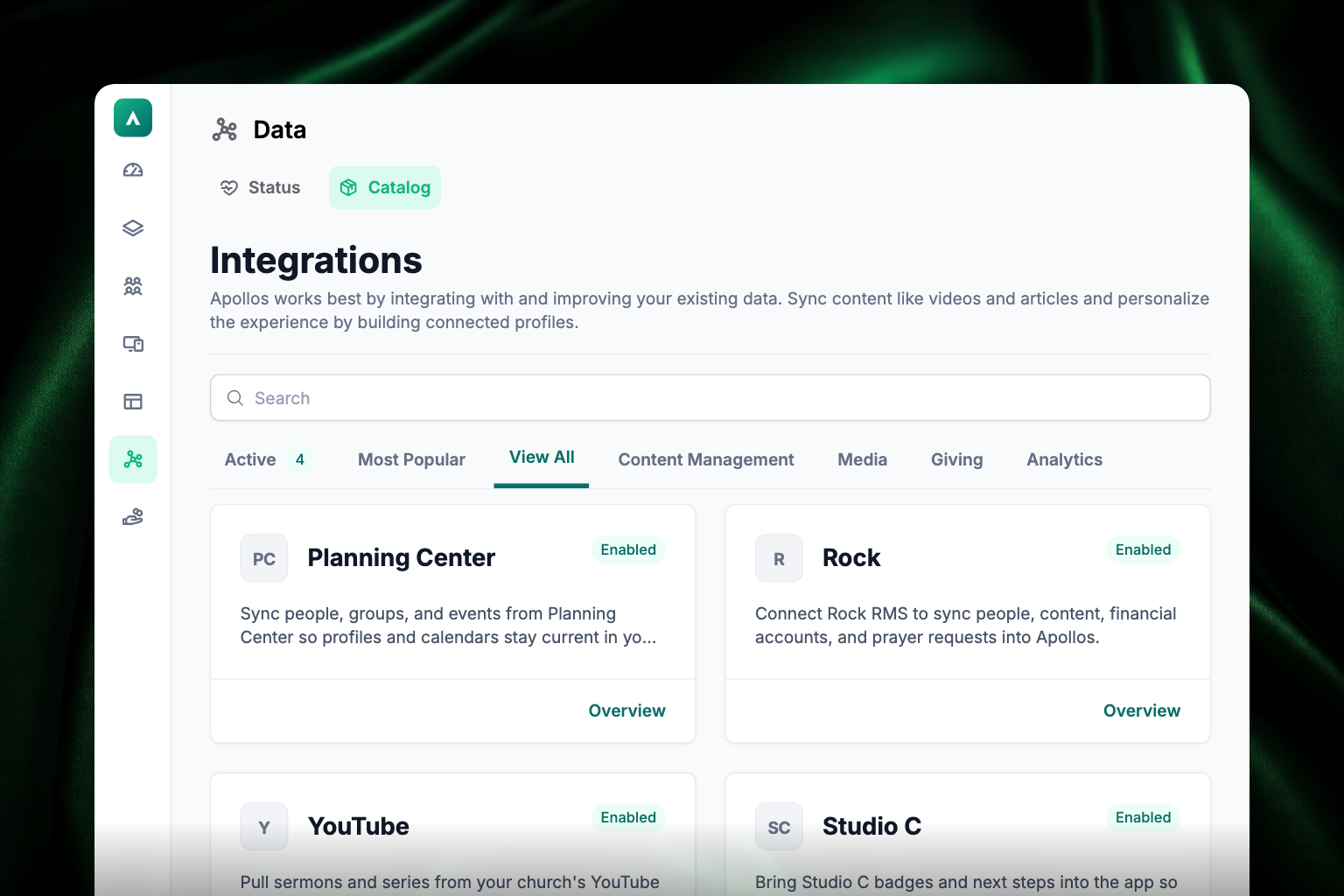
- Data → Catalog — browse, connect, and configure integrations. Search by name, or use the filter tabs: Active (the ones you've already turned on, with a count), Most Popular, View All, Content Management, Media, Giving, and Analytics. Each tile has an Overview link that opens the integration's own page, where you connect it and set it up.
- Data → Status — see every sync workflow, whether it's healthy, how its last few runs went, how often it runs, when it last ran, and when it runs next. This is where you check that data is actually flowing.
Supported integrations
Church Management Systems
| ChMS | People | Groups | Events | Campuses | Content | Giving sync | Prayer |
|---|---|---|---|---|---|---|---|
| Rock RMS | Yes | Yes | Yes | Yes | Yes | Yes | Yes |
| Planning Center | Yes | Yes | Partial | Yes (must be enabled) | No | No | No |
| CCB | Yes | Yes | Yes | Yes | No | No | No |
| Ministry Platform | No | No | Limited | No | No | Yes | No |
Rock RMS is the most fully featured integration, with two-way sync across nearly every data area.
Media & content
Vimeo, YouTube, Wistia, WordPress, Webflow, and Sardius bring video, audio, and written content into your app.
Engagement & livestreams
- Church Online Platform — livestream services with schedules and notes.
- Studio C — badges, targeted messaging, and polls.
- Amplitude — deeper analytics; see Amplitude for deeper analysis.
AI assistants
Claude, ChatGPT, and other AI assistants can connect to Apollos to find your content, write drafts, and schedule them.