


Submit & manage prayer requests
Prayer in your church's app lets you share what's on your heart, pray for others, and celebrate when prayers are answered.
How it works
The prayer feed shows unanswered prayers from the last 30 days, ordered with people you follow first, then the most prayed-for requests, then the newest. You can share a request publicly or anonymously, send it to your communities, open the prayer detail view to follow activity, and mark it answered when the time comes.
Submit a prayer request
Open your Profile and tap My Prayers.
Tap the + circle in the top-right corner of the screen. (If you haven't shared a prayer yet, there's a Write a prayer button in the middle of the screen instead.) The screen that opens is titled Add Prayer Request.
Write your prayer.
Choose your visibility: Public (your name is shown) or Anonymous (your name is hidden).
Optionally, share your prayer with one or more communities you belong to.
Submit your prayer.
When you share a prayer with a community, everyone in that community gets a notification about it, and they can pray for your request right from the community.
Pray for others
When you see a prayer request in the feed or in a community, tap Prayed For to let the person know you're praying. You can pray once per request, and the person who shared it gets a notification each time someone prays.
Open a prayer to see its detail view. There you can read the request, see recent prayer activity, and follow any updates the person shares. Prayer cards also show recent activity so you can spot a new update before opening the request.
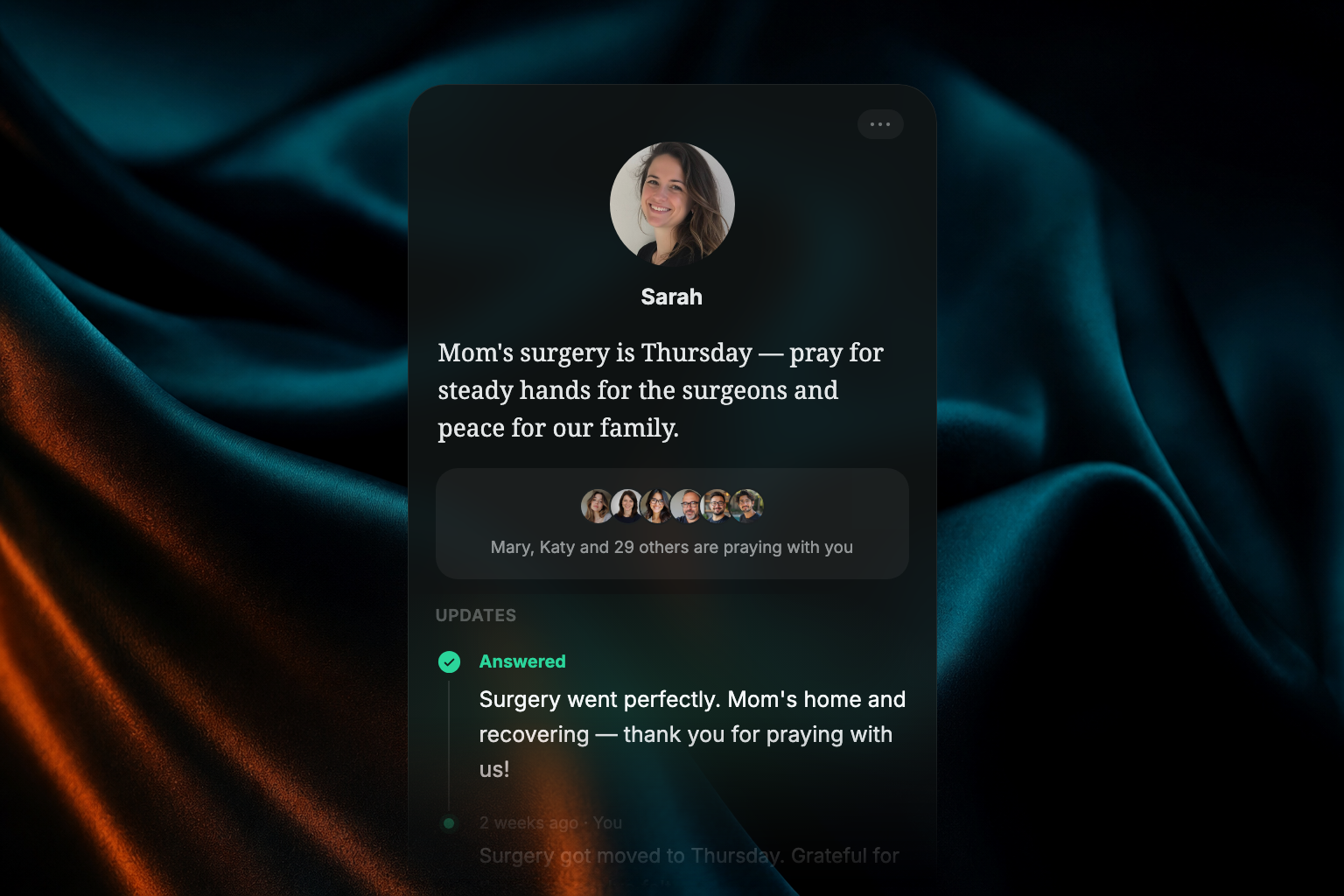
When you add an update to your own prayer, you can return to the prayer detail view to review or delete it.
Mark a prayer as answered
- Find your prayer in your prayer history or the prayer feed.
- Tap Mark as Answered.
- If you'd like, share how the prayer was answered.
Answered prayers are removed from the active prayer feed.
When a prayer follow-up arrives, tap the notification or Activity Center item to open the prayer and add an update.
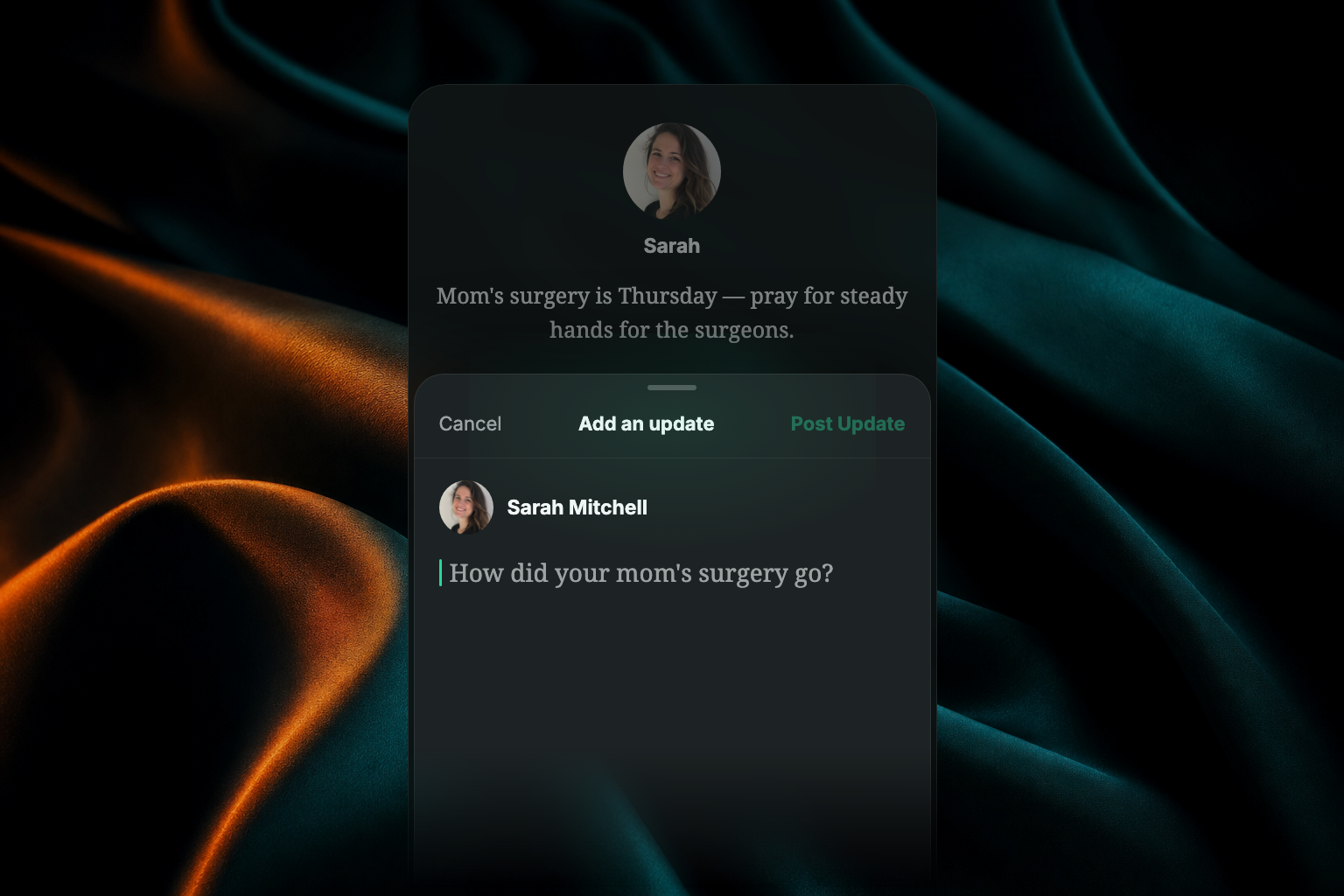
Prayer as a daily habit
The Daily tab includes a Prayer practice where you can pray through requests from your church community. You can pray for others there, or from a community, without going to My Prayers. Completing it counts toward your daily streak, alongside Gratitude and Scripture. See Sharing content, streaks & habits for how streaks work.
FAQ
Is my anonymous prayer really anonymous?
Other members won't see your name on an anonymous prayer. Your church's team can still see who submitted it behind the scenes, so they can keep the prayer feed safe and appropriate.
Why did my prayer disappear from the feed?
The feed shows unanswered prayers from the last 30 days. If your prayer is older than that, or you marked it answered, it won't appear in the active feed anymore. You can still find it in your prayer history.
Can I pray for the same request more than once?
The Prayed For button works once per person per request — it's a way to let someone know you're with them, and of course you can keep praying as often as you like.
Who can mark my prayer answered?
Only you can mark a prayer you submitted as answered.