


App troubleshooting basics
If your church's app is misbehaving — freezing, showing errors, or not letting you sign in — these simple steps fix most problems.
How it works
Most app glitches clear up with one of three steps, in order: restart the app, sign out and back in, or reinstall the app. Try them in that order — each one is a slightly deeper reset. Sign-in problems usually come down to the verification code, so there are quick fixes for those below too.
Step 1: Force close and reopen the app
- Close the app completely:
- iPhone/iPad: swipe up from the bottom of the screen and pause in the middle. Find the app, then swipe it up to close.
- Android: open the Recent Apps screen, find the app, and swipe it away or tap Close.
- Reopen the app and check whether the issue is fixed.
Step 2: Sign out and sign back in
Open the app and tap your profile picture — the circle in the top-left corner showing your photo or initials.
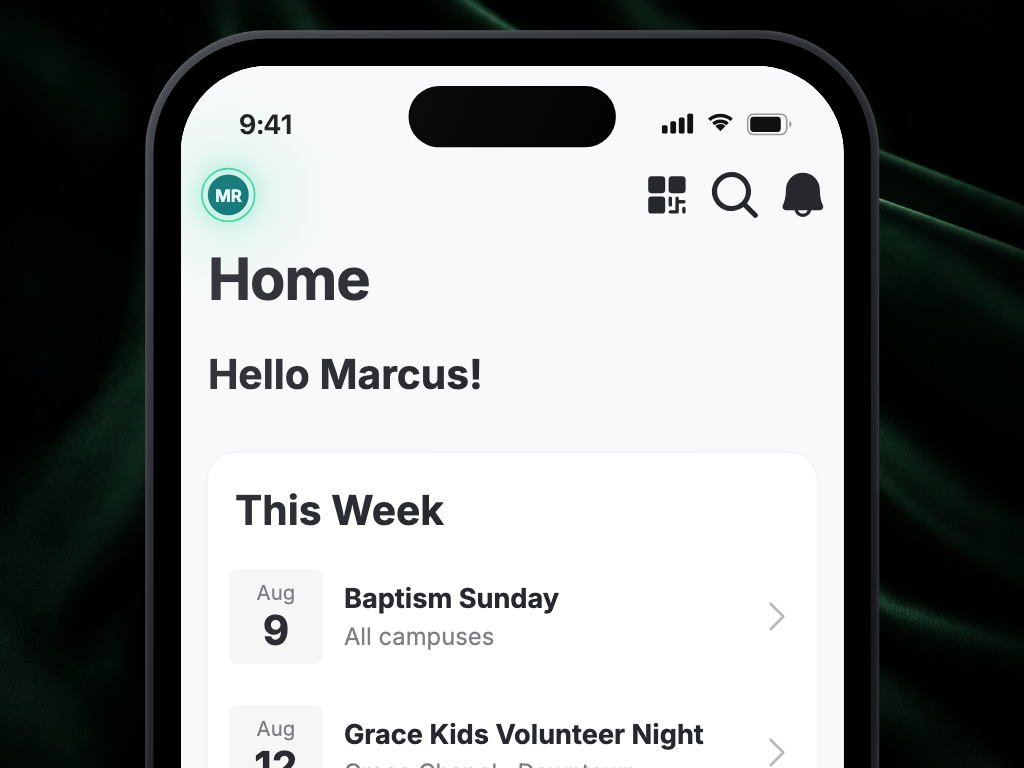
Tap Log Out.
Close the app completely (see Step 1).
Reopen the app and sign back in with your email or phone number.
Step 3: Uninstall and reinstall the app
- Uninstall the app:
- iPhone/iPad: press and hold the app icon, tap Remove App, then Delete App.
- Android: press and hold the app icon, tap Uninstall, and confirm.
- Restart your phone (optional, but a good idea).
- Reinstall the app from the App Store or Google Play Store.
- Open the app and sign in again.
Don't worry — uninstalling the app doesn't delete your account or any of your information. Everything is there when you sign back in.
Why didn't I receive my sign-in code?
- Signed in with email? Check your spam or junk folder.
- Signed in with your phone number? Double-check you typed it correctly.
- Code not working? Codes expire after a short time. Request a new code from the sign-in screen and use the newest one.
Why can't I sign in after my email or phone number changed?
If you no longer have access to the email address or phone number you signed up with, the app can't send you a verification code. Contact your church office — they can update your contact information so you can sign in with your new email or phone number.
Why does the app keep signing me out?
You normally stay signed in for over a year. If you're being signed out repeatedly, try the three steps above in order — and if it keeps happening, let your church office know.
Why don't I see my church's content after signing in?
Make sure you downloaded your church's own app (search the app store for your church's name) and signed in with the email or phone number your church has on file. If something still looks wrong, contact your church office.
Why did the app close when I tapped Follow?
An earlier problem could close the app on Android when you tapped Follow or Unfollow on someone's profile. That's fixed. Update your church's app from the Play Store and try again — if it still happens, tell your church office which screen you were on.
Still stuck?
If you've tried all the steps above and the problem persists, reach out to your church office or the support contact listed in the app. Mention what you tried — it helps them get you sorted faster.